
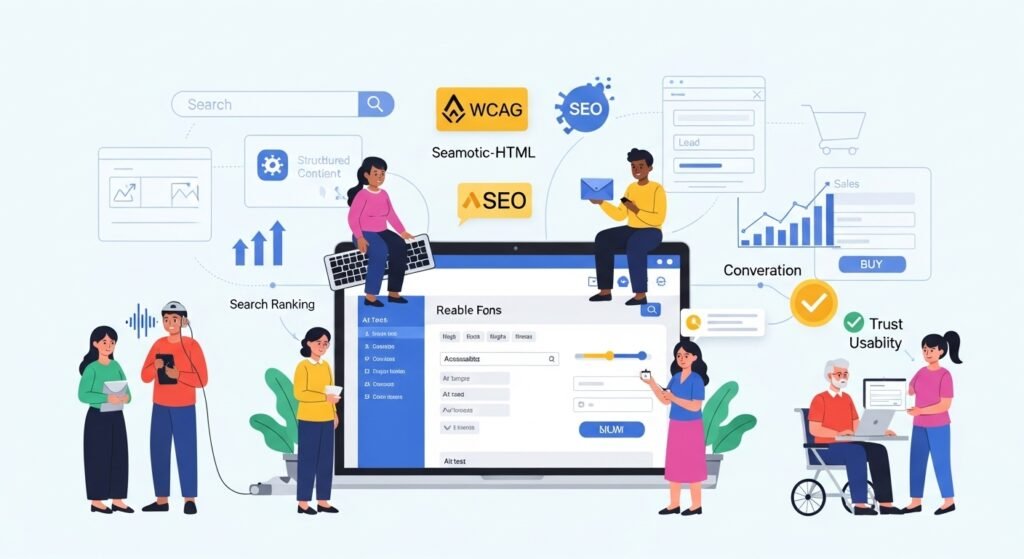
Website Accessibility: Why Inclusive Design Improves SEO and Sales (Complete Guide for 2026)
🌟 Introduction
In 2026, a successful website is not just visually attractive — it is accessible to everyone. Website accessibility means designing and developing websites so people with disabilities can navigate, understand, and interact with your content easily. This includes users with visual, hearing, cognitive, and motor impairments.
What many business owners don’t realize is that website accessibility directly impacts SEO, user experience, and sales performance. Search engines favor websites that are easy to crawl, understand, and use — the same principles that define accessible design. Faster load times, clear navigation, readable content, and structured layouts improve rankings while creating a better experience for all visitors.
Accessibility is no longer just a “nice-to-have” feature. It is becoming a legal, ethical, and commercial necessity. Governments worldwide are tightening accessibility standards, and brands that ignore inclusive design risk penalties, poor rankings, and lost customers. On the other hand, businesses that invest in accessibility build trust, credibility, and wider market reach.
From an SEO perspective, accessible websites:
- Have better content structure
- Use proper headings and alt text
- Improve mobile usability
- Reduce bounce rates
From a sales perspective, inclusive design:
- Increases conversion rates
- Expands audience reach
- Improves brand reputation
- Encourages repeat visits
In this complete guide, you’ll learn why website accessibility improves SEO and sales, how to implement it step-by-step, real-world case studies, success stories, video ideas, a full accessibility toolkit, and FAQs — explained in simple, actionable language.
✅ Why Website Accessibility Matters for SEO & Sales
Accessibility helps both users and search engines.
🔍 SEO Benefits
- Better crawlability
- Improved page structure
- Higher dwell time
- Lower bounce rate
💰 Sales Benefits
- More engaged users
- Increased trust
- Better conversion rates
- Reduced cart abandonment
📊 Insight:
Accessible websites can increase conversions by up to 20%.
✅ How to Make Your Website Accessible (Step-by-Step)
Step 1: Use Clear & Structured Headings
- Follow proper H1 → H6 hierarchy
- Avoid skipping heading levels
Step 2: Add Alt Text to Images
- Describe the image purpose
- Include keywords naturally
Example:
“Gold necklace displayed on white background”
Step 3: Improve Color Contrast
- Text should be readable for visually impaired users
- Avoid low-contrast color combinations
Step 4: Make Website Keyboard-Friendly
- Ensure all buttons & links work with keyboard navigation
Step 5: Add Descriptive Link Text
Avoid:
“Click here”
Use:
“View our digital marketing services”
Step 6: Optimize Forms
- Clear labels
- Error messages
- Simple layouts
✅ How Accessibility Improvements Boosted SEO Performance
Client: Small e-commerce business
Challenges:
❌ High bounce rate
❌ Low mobile conversions
Accessibility Actions Taken
✔ Added alt text
✔ Improved headings
✔ Enhanced mobile readability
✔ Optimized forms
Results (90 Days)
📈 32% increase in organic traffic
📈 18% improvement in conversions
📉 Reduced bounce rate
⭐ Inclusive Design Helped a Brand Reach New Audiences
A local business redesigned its website focusing on:
- Accessibility
- Mobile usability
- Clear CTAs
Result:
✔ Higher trust
✔ Better engagement
✔ Increased repeat customers
🎥 Video
🎬 Video Idea: “How Accessible Websites Rank Higher on Google”
Video points:
- What is accessibility
- Common mistakes
- Live website comparison
- SEO & sales impact
Perfect for YouTube Shorts, Reels & LinkedIn.
🚀 Website Accessibility Toolkit for Businesses
Core Accessibility Elements
| Element | Benefit |
| Alt Text | Image SEO |
| Heading Structure | Better crawling |
| Color Contrast | Readability |
| Keyboard Navigation | Usability |
Recommended Tools
- Google Lighthouse
- WAVE Accessibility Tool
- axe DevTools
- Color Contrast Checker
Best Practices
- Test monthly
- Update content regularly
- Follow WCAG guidelines
- Combine accessibility with UX design
❓ FAQs (Frequently Asked Questions)
1. Is website accessibility mandatory?
In many regions, yes — and it’s expanding.
2. Does accessibility help SEO?
Absolutely. Google rewards accessible design.
3. Is accessibility expensive?
No. Many fixes are simple and low-cost.
4. Can accessibility improve sales?
Yes — better UX equals higher conversions.
5. Should small businesses care about accessibility?
Yes. It creates long-term growth and trust.
🏁 Final Thoughts
Website accessibility is good design, good SEO, and good business.
In 2026, brands that prioritize inclusive design:
✔ Rank higher
✔ Convert better
✔ Build stronger customer trust
At Kanity Solutions, we help businesses:
- Improve website accessibility
- Boost SEO performance
- Increase conversions
🌐 www.kanity.in
📞 9454784602