
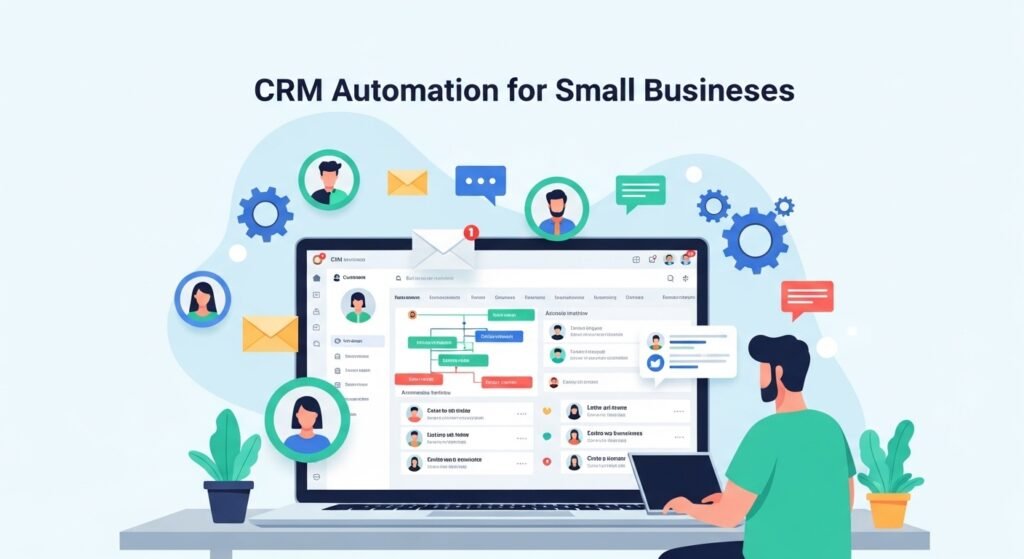
Introduction to CRM Automation for Small Businesses
As a small business owner, managing customer relationships, sales, and marketing efforts can be a daunting task. With limited resources and a tight budget, it’s essential to maximize efficiency and productivity to stay competitive in the market. This is where CRM automation comes into play. In this beginner’s guide, we’ll explore the world of CRM automation and its benefits for small businesses. As a digital marketing strategist and SEO consultant with over 15 years of experience, I’ve seen firsthand how CRM automation can transform the way small businesses operate and grow.
Customer Relationship Management (CRM) systems have been around for decades, but with the advent of automation, they’ve become even more powerful. CRM automation enables small businesses to streamline their sales, marketing, and customer service processes, freeing up time and resources to focus on high-growth activities. In this section, we’ll delve into the basics of CRM automation, its benefits, and how small businesses can get started with implementing it.
So, what exactly is CRM automation? In simple terms, CRM automation refers to the use of software and technology to automate repetitive, mundane tasks within a CRM system. This can include tasks such as data entry, lead qualification, email marketing, and follow-up communications. By automating these tasks, small businesses can reduce manual labor, minimize errors, and enhance the overall customer experience. For instance, a small e-commerce business can use CRM automation to send personalized welcome emails to new customers, or to notify them about abandoned shopping carts.
The benefits of CRM automation for small businesses are numerous. For one, it helps to increase productivity by automating routine tasks, allowing employees to focus on more strategic and creative work. CRM automation also enhances customer engagement by providing personalized and timely communications, leading to higher customer satisfaction and loyalty. Additionally, CRM automation provides valuable insights into customer behavior and preferences, enabling small businesses to make data-driven decisions and improve their marketing and sales strategies.
Some common examples of CRM automation include:
- Lead scoring and qualification: Assigning scores to leads based on their behavior and demographic data to determine their readiness to buy.
- Email marketing automation: Sending targeted and personalized emails to customers and prospects based on their interests and interactions with the business.
- Sales force automation: Automating tasks such as data entry, sales forecasting, and performance tracking to enhance sales productivity and effectiveness.
- Customer service automation: Using chatbots and other tools to provide 24/7 customer support and resolve common issues quickly and efficiently.
These are just a few examples of how CRM automation can be applied in small businesses. The key is to identify areas where automation can add the most value and streamline processes to achieve greater efficiency and productivity. In the next section, we’ll explore the different types of CRM automation and how to choose the right one for your small business.
As a small business owner, it’s essential to understand that CRM automation is not a one-size-fits-all solution. Different businesses have unique needs and requirements, and the right CRM automation system will depend on factors such as the size of the business, the industry, and the specific goals and objectives. However, with the right approach and implementation, CRM automation can be a game-changer for small businesses, enabling them to compete with larger enterprises and achieve rapid growth and success.
In conclusion, CRM automation is a powerful tool that can help small businesses streamline their operations, enhance customer engagement, and drive revenue growth. By understanding the basics of CRM automation and its benefits, small businesses can take the first step towards implementing a successful CRM automation strategy. In the next section, we’ll dive deeper into the world of CRM automation and explore the different types of automation, best practices, and implementation strategies for small businesses.
Understanding the Basics of CRM Automation
As a small business owner, managing customer relationships is crucial for driving growth and revenue. However, manual processes can be time-consuming and prone to errors, which is where CRM automation comes in. In this section, we will delve into the basics of CRM automation, exploring its definition, benefits, and key components. As a digital marketing strategist with over 15 years of experience, I, Amit Tyagi, will provide insights and examples to help you understand how CRM automation can transform your small business.
CRM automation refers to the use of software and technology to automate repetitive and mundane tasks associated with customer relationship management. This includes tasks such as data entry, lead scoring, email marketing, and sales follow-ups. By automating these tasks, small businesses can free up more time to focus on high-value activities such as building relationships, identifying new opportunities, and delivering exceptional customer experiences.
The benefits of CRM automation are numerous. For instance, it can help small businesses increase efficiency by reducing manual data entry and minimizing errors. It can also enhance customer engagement by enabling personalized and timely communication. Moreover, CRM automation can provide valuable insights into customer behavior and preferences, allowing small businesses to make data-driven decisions and optimize their marketing strategies.
So, what are the key components of CRM automation? These include:
- Lead management: This involves capturing, tracking, and nurturing leads across multiple channels and touchpoints.
- Contact management: This involves storing and managing customer contact information, interactions, and preferences.
- Sales automation: This involves automating sales processes such as lead scoring, qualification, and follow-ups.
- Marketing automation: This involves automating marketing processes such as email marketing, social media management, and campaign tracking.
- Customer service automation: This involves automating customer service processes such as ticketing, routing, and resolution.
Let’s consider an example to illustrate the power of CRM automation. Suppose you own an e-commerce business that sells outdoor gear and apparel. You have a website that allows customers to sign up for newsletters and promotions. With CRM automation, you can create a workflow that automatically sends a welcome email to new subscribers, followed by a series of personalized emails based on their interests and purchase history. This can help you build trust, increase engagement, and drive sales.
In addition to these components, CRM automation also involves integration with other tools and systems. This can include integration with social media platforms, email marketing software, and customer service tools. By integrating CRM automation with these tools, small businesses can create a seamless and connected customer experience across multiple channels and touchpoints.
Another important aspect of CRM automation is data analytics and reporting. This involves tracking key metrics and KPIs such as customer acquisition costs, customer lifetime value, and sales conversion rates. By analyzing these metrics, small businesses can gain insights into their customer relationships and make data-driven decisions to optimize their marketing strategies and improve customer outcomes.
In conclusion, understanding the basics of CRM automation is essential for small businesses that want to drive growth, revenue, and customer satisfaction. By automating repetitive and mundane tasks, small businesses can free up more time to focus on high-value activities and deliver exceptional customer experiences. As a digital marketing strategist, I recommend that small businesses explore CRM automation solutions that are tailored to their specific needs and goals. In the next section, we will explore the benefits of CRM automation in more detail, including its impact on customer engagement, sales productivity, and revenue growth.
Choosing the Right CRM Automation Tool for Your Small Business
As a small business owner, managing customer relationships, sales, and marketing efforts can be a daunting task. This is where Customer Relationship Management (CRM) automation comes into play. CRM automation helps streamline and automate various business processes, freeing up time for more strategic and creative work. With numerous CRM automation tools available in the market, choosing the right one for your small business can be overwhelming. In this section, we will delve into the key factors to consider when selecting a CRM automation tool, and provide guidance on how to make an informed decision.
Amit Tyagi, a seasoned digital marketing strategist and SEO consultant, emphasizes the importance of choosing the right CRM automation tool. With over 15 years of experience in helping brands scale globally, Amit stresses that a well-chosen CRM automation tool can significantly enhance customer engagement, boost sales, and drive revenue growth. On the other hand, a poorly chosen tool can lead to wasted resources, decreased productivity, and a negative impact on the bottom line.
So, what are the key factors to consider when choosing a CRM automation tool for your small business? Let’s take a closer look at some of the most important considerations:
- Scalability: As your business grows, your CRM automation tool should be able to scale with you. Look for a tool that can adapt to your evolving needs, and provides flexible pricing plans to accommodate your growing customer base.
- Ease of Use: A user-friendly interface is crucial for ensuring that your team can quickly learn and use the CRM automation tool. A tool with a steep learning curve can lead to frustration, decreased adoption, and ultimately, a waste of resources.
- Customization: Every business is unique, and your CRM automation tool should be able to accommodate your specific needs. Look for a tool that offers customizable workflows, fields, and dashboards to ensure that you can tailor it to your business processes.
- Integration: Your CRM automation tool should be able to integrate seamlessly with your existing tools and systems, such as email marketing software, social media platforms, and customer support software. This will help ensure that you have a unified view of your customers and can automate workflows across different systems.
- Reporting and Analytics: A good CRM automation tool should provide robust reporting and analytics capabilities, enabling you to track key performance indicators (KPIs), identify trends, and make data-driven decisions.
For example, let’s say you’re a small e-commerce business using Shopify as your platform. You may want to choose a CRM automation tool that integrates seamlessly with Shopify, such as HubSpot or Salesforce. This will allow you to automate workflows, such as sending abandoned cart emails or follow-up notifications, and provide a unified view of your customers across different systems.
Another important consideration is the level of support and training provided by the CRM automation tool vendor. As a small business owner, you may not have the resources or expertise to implement and manage a complex CRM automation tool. Look for a vendor that offers comprehensive training and support, such as online tutorials, webinars, and dedicated customer support.
In addition to these factors, it’s also important to consider the cost of the CRM automation tool. As a small business, you may have limited budget and resources, so it’s essential to choose a tool that provides a good balance between features, functionality, and cost. Be sure to evaluate the total cost of ownership, including any additional fees for customization, integration, or support.
To illustrate the importance of considering these factors, let’s take a look at a real-life example. Suppose you’re a small business owner who sells handmade crafts online. You have a limited budget and a small team, but you want to automate your customer relationships and sales processes to free up time for more creative work. You choose a CRM automation tool that is scalable, easy to use, and customizable, but you don’t consider the level of support and training provided by the vendor. As a result, you struggle to implement and manage the tool, and ultimately, you don’t see the expected return on investment.
In conclusion, choosing the right CRM automation tool for your small business requires careful consideration of several key factors, including scalability, ease of use, customization, integration, reporting and analytics, support and training, and cost. By taking the time to evaluate these factors and choosing a tool that meets your specific needs, you can streamline and automate your business processes, enhance customer engagement, and drive revenue growth. As Amit Tyagi emphasizes, “A well-chosen CRM automation tool can be a game-changer for small businesses, but it’s essential to do your research, evaluate your options carefully, and choose a tool that aligns with your business goals and objectives.”
Implementing and Optimizing CRM Automation for Small Businesses
As a digital marketing strategist, I have worked with numerous small businesses, and one common challenge they face is managing their customer relationships effectively. This is where Customer Relationship Management (CRM) automation comes into play. CRM automation is a powerful tool that helps small businesses streamline their sales, marketing, and customer service processes, leading to increased efficiency, productivity, and revenue growth. In this section, we will delve into the world of CRM automation for small businesses, exploring its benefits, implementation strategies, and optimization techniques.
The primary goal of CRM automation is to automate repetitive tasks, such as data entry, lead nurturing, and follow-up emails, allowing small business owners to focus on high-value activities like building relationships, closing deals, and driving growth. By implementing CRM automation, small businesses can enhance customer experience, improve sales performance, and gain valuable insights into their customer base. For instance, a small e-commerce business can use CRM automation to send personalized welcome emails to new customers, offer loyalty rewards, and provide timely support, resulting in increased customer satisfaction and loyalty.
When it comes to implementing CRM automation, small businesses have a plethora of options to choose from. Some popular CRM automation tools include Zoho CRM, HubSpot CRM, and Salesforce Essentials. These tools offer a range of features, such as contact management, lead scoring, and workflow automation, that can be tailored to meet the specific needs of small businesses. For example, a small business can use Zoho CRM to automate lead assignment, track sales performance, and analyze customer interactions. By leveraging these features, small businesses can create a seamless and personalized customer experience, driving engagement, conversion, and retention.
To get the most out of CRM automation, small businesses must optimize their implementation strategy. This involves defining clear goals and objectives, identifying key performance indicators (KPIs), and establishing a data-driven approach. For instance, a small business can set a goal to increase sales by 20% within the next quarter and use CRM automation to track progress, identify bottlenecks, and make data-driven decisions to optimize their sales strategy. Additionally, small businesses must ensure data quality and integrity, provide ongoing training and support, and continuously monitor and evaluate their CRM automation strategy to ensure it remains aligned with their evolving business needs.
Some best practices for optimizing CRM automation include:
- Start small and scale up: Begin with a limited set of features and gradually expand to more advanced capabilities as your business grows and matures.
- Focus on customer-centricity: Use CRM automation to deliver personalized experiences, build strong relationships, and provide exceptional customer service.
- Leverage integrations and APIs: Integrate your CRM automation tool with other business applications, such as marketing automation, customer service software, and accounting systems, to create a unified and connected ecosystem.
- Monitor and analyze performance: Regularly track key metrics, such as sales performance, customer satisfaction, and revenue growth, to identify areas for improvement and optimize your CRM automation strategy.
- Stay up-to-date with industry trends and best practices: Continuously educate yourself on the latest CRM automation trends, technologies, and strategies to ensure your business remains competitive and innovative.
By following these best practices and optimizing their CRM automation strategy, small businesses can unlock the full potential of CRM automation, driving growth, efficiency, and customer satisfaction. As a digital marketing strategist, I have seen firsthand the impact that CRM automation can have on small businesses, and I strongly believe that it is an essential tool for any business looking to succeed in today’s fast-paced and competitive market. Whether you are just starting out or looking to take your business to the next level, CRM automation is an investment worth considering.
In conclusion, implementing and optimizing CRM automation is a critical step for small businesses looking to streamline their operations, enhance customer experience, and drive revenue growth. By understanding the benefits and challenges of CRM automation, small businesses can make informed decisions about their implementation strategy, leveraging the latest tools and technologies to achieve their goals. As a digital marketing strategist, my goal is to empower small businesses with the knowledge and expertise they need to succeed in the digital landscape, and I believe that CRM automation is a key component of any successful digital marketing strategy.
Advanced CRM Automation Strategies for Small Business Growth
As a small business owner, managing customer relationships, sales, and marketing efforts can be overwhelming, especially when you’re trying to grow your business. Customer Relationship Management (CRM) automation is a powerful tool that can help streamline your operations, improve efficiency, and drive revenue growth. In this section, we’ll dive into advanced CRM automation strategies that can help small businesses like yours thrive in today’s competitive market.
Before we explore these strategies, it’s essential to understand the basics of CRM automation. CRM automation refers to the use of software and technology to automate repetitive, mundane tasks, such as data entry, lead scoring, and follow-up emails. By automating these tasks, you can free up more time to focus on high-value activities, like building relationships with customers, developing new products, and expanding your business.
Now, let’s take a look at some advanced CRM automation strategies that can help small businesses grow:
- Personalization: Personalization is key to building strong customer relationships. With CRM automation, you can personalize your marketing messages, emails, and sales outreach to individual customers based on their preferences, behavior, and demographics. For example, you can use CRM data to create targeted email campaigns that offer personalized product recommendations, special promotions, or exclusive discounts to loyal customers.
- Lead Scoring: Lead scoring is a powerful CRM automation strategy that helps you identify high-quality leads and prioritize your sales efforts. By assigning scores to leads based on their behavior, demographics, and engagement, you can focus on the most promising leads and convert them into customers. For instance, you can assign higher scores to leads that have downloaded your e-book, attended a webinar, or engaged with your social media content.
- Workflow Automation: Workflow automation is another advanced CRM automation strategy that helps you streamline your business processes and improve efficiency. By automating workflows, you can automate tasks, such as data entry, lead assignment, and follow-up emails, and ensure that your sales, marketing, and customer service teams are working together seamlessly. For example, you can create a workflow that automatically assigns new leads to sales reps, sends follow-up emails to customers, and notifies customer service teams of new support requests.
- Marketing Automation: Marketing automation is a powerful CRM automation strategy that helps you automate your marketing efforts and improve your ROI. By automating marketing tasks, such as email marketing, social media posting, and lead nurturing, you can save time, reduce costs, and drive more conversions. For instance, you can create a marketing automation workflow that sends a series of nurturing emails to new leads, shares relevant content on social media, and tracks the performance of your marketing campaigns.
These advanced CRM automation strategies can help small businesses like yours drive growth, improve efficiency, and build strong customer relationships. However, it’s essential to remember that CRM automation is not a one-size-fits-all solution. You need to tailor your CRM automation strategies to your specific business needs, goals, and customer requirements.
To get the most out of CRM automation, you need to integrate your CRM system with other business applications, such as marketing automation software, customer service software, and accounting software. This integration enables you to access a 360-degree view of your customers, streamline your business processes, and make data-driven decisions.
For example, you can integrate your CRM system with your marketing automation software to automate lead scoring, personalize marketing messages, and track the performance of your marketing campaigns. You can also integrate your CRM system with your customer service software to provide personalized support, resolve customer complaints, and improve customer satisfaction.
In addition to integration, you need to monitor and analyze your CRM data to optimize your CRM automation strategies. By tracking key metrics, such as lead conversion rates, customer retention rates, and sales revenue, you can identify areas for improvement, refine your CRM automation workflows, and drive more growth.
Finally, it’s essential to choose the right CRM automation software for your small business. With so many CRM automation solutions available in the market, it can be challenging to select the best one for your business needs. When choosing a CRM automation software, consider factors such as ease of use, scalability, customization, and integration with other business applications.
In conclusion, advanced CRM automation strategies can help small businesses like yours drive growth, improve efficiency, and build strong customer relationships. By personalizing your marketing messages, automating workflows, and integrating your CRM system with other business applications, you can streamline your operations, improve your ROI, and achieve your business goals. Remember to monitor and analyze your CRM data, choose the right CRM automation software, and tailor your CRM automation strategies to your specific business needs and customer requirements.

Amit Tyagi is a seasoned Digital Marketing and SEO Consultant with extensive experience helping businesses improve online visibility through SEO, AI Search Optimization (AIO/GEO), content strategy, and performance marketing. He regularly shares practical insights, industry updates, and data-driven strategies, empowering brands and marketers to achieve sustainable digital growth in an evolving search landsca