
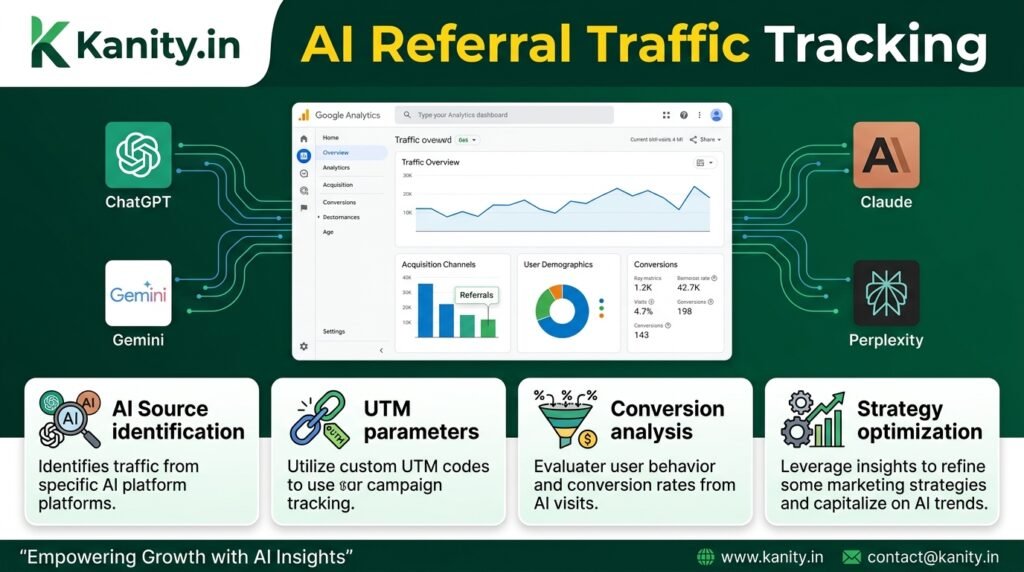
Introduction to AI Referral Traffic and Google Analytics 4 (GA4)
As a digital marketing strategist and SEO consultant, I have witnessed the rapid evolution of artificial intelligence (AI) in the digital landscape. The rise of AI-powered chatbots like ChatGPT, Gemini, Claude, and Perplexity has transformed the way users interact with online content. One of the significant challenges that come with this shift is tracking AI referral traffic in Google Analytics 4 (GA4). In this article, I will delve into the world of AI-driven referral traffic and provide a comprehensive guide on how to track it in GA4.
Google Analytics 4 (GA4) is the latest iteration of Google’s web analytics platform, designed to provide a more comprehensive understanding of user behavior and interactions with online content. As AI-powered chatbots become increasingly popular, it is essential to understand how to track referral traffic from these sources in GA4. Referral traffic refers to the visits to your website that come from other websites or platforms. In the context of AI-powered chatbots, referral traffic can be generated when users click on links provided by these chatbots.
For instance, if a user asks ChatGPT for information on a specific topic, and ChatGPT provides a link to your website, the resulting visit would be considered referral traffic. Tracking AI referral traffic is crucial for understanding the impact of these chatbots on your website’s visibility and user engagement. By monitoring referral traffic from AI-powered chatbots, you can gain insights into the effectiveness of your content marketing strategies and identify opportunities to optimize your online presence.
There are several benefits to tracking AI referral traffic in GA4, including:
- Improved understanding of user behavior and interaction with AI-powered chatbots
- Enhanced insights into the effectiveness of content marketing strategies
- Identification of opportunities to optimize online presence and user engagement
- Better measurement of the return on investment (ROI) from AI-driven marketing efforts
- More accurate attribution of conversions and revenue to AI-powered chatbots
To track AI referral traffic in GA4, you need to understand how these chatbots generate referral traffic and how GA4 captures and reports on this data. ChatGPT, Gemini, Claude, and Perplexity are some of the most popular AI-powered chatbots that can drive referral traffic to your website. Each of these chatbots has its unique characteristics and ways of generating referral traffic.
For example, ChatGPT is a conversational AI that provides human-like responses to user queries. When a user asks ChatGPT for information on a specific topic, ChatGPT may provide a link to a relevant article or website. If the user clicks on this link, the resulting visit would be considered referral traffic from ChatGPT. Similarly, Gemini, Claude, and Perplexity can also drive referral traffic to your website by providing links to relevant content in response to user queries.
GA4 provides a range of features and tools to help you track and analyze referral traffic from AI-powered chatbots. By using GA4, you can gain a deeper understanding of the impact of these chatbots on your website’s visibility and user engagement. In the next section, I will provide a step-by-step guide on how to set up and track AI referral traffic in GA4.
In conclusion, tracking AI referral traffic in GA4 is essential for understanding the impact of AI-powered chatbots on your website’s visibility and user engagement. By monitoring referral traffic from chatbots like ChatGPT, Gemini, Claude, and Perplexity, you can gain valuable insights into the effectiveness of your content marketing strategies and identify opportunities to optimize your online presence. With the help of GA4, you can unlock the full potential of AI-driven marketing and drive more conversions and revenue for your business.
Setting Up Google Analytics 4 (GA4) for AI Referral Traffic Tracking
As a digital marketing strategist and SEO consultant, I have worked with numerous brands to help them navigate the complex world of artificial intelligence (AI) and its impact on their online presence. With the rise of AI-powered chatbots like ChatGPT, Gemini, Claude, and Perplexity, it’s essential to understand how to track referral traffic from these sources in Google Analytics 4 (GA4). In this section, we will delve into the process of setting up GA4 for AI referral traffic tracking, providing you with a comprehensive guide to help you make data-driven decisions.
Before we dive into the setup process, it’s crucial to understand why tracking AI referral traffic is vital for your business. AI-powered chatbots are becoming increasingly popular, and users are interacting with them to find information, answers, and solutions. By tracking referral traffic from these sources, you can gain valuable insights into user behavior, preferences, and pain points. This information can be used to refine your marketing strategies, improve user experience, and ultimately drive revenue growth.
To set up GA4 for AI referral traffic tracking, you’ll need to follow these steps:
- Create a new GA4 property: If you haven’t already, create a new GA4 property in your Google Analytics account. This will provide you with a fresh start and allow you to set up tracking specifically for AI referral traffic.
- Set up data streams: In GA4, data streams are used to collect data from various sources, including websites, apps, and other platforms. You’ll need to set up a data stream for your website or app to collect data on user interactions.
- Configure referral traffic settings: In the GA4 interface, navigate to the “Admin” section and click on “Data Settings” under the “Property” column. Then, click on “Referral traffic” and select “Configure” next to “Referral exclusion list.” Here, you can add the domains of the AI-powered chatbots you want to track, such as chat.openai.com for ChatGPT or perplexity.io for Perplexity.
- Set up custom dimensions: Custom dimensions in GA4 allow you to collect and analyze additional data that’s not automatically tracked by the platform. To track AI referral traffic, you’ll need to set up custom dimensions for the chatbot sources. For example, you can create a custom dimension for “ChatGPT Referral” or “Perplexity Referral” to track traffic from these sources.
- Create custom metrics: Custom metrics in GA4 enable you to track specific events or actions on your website or app. To track AI referral traffic, you can create custom metrics for events like “ChatGPT Referral Click” or “Perplexity Referral Conversion.”
Once you’ve completed these steps, you’ll be able to track referral traffic from AI-powered chatbots like ChatGPT, Gemini, Claude, and Perplexity in GA4. This will provide you with valuable insights into user behavior, allowing you to refine your marketing strategies and improve user experience.
For example, let’s say you’re an e-commerce brand, and you’ve set up GA4 to track referral traffic from ChatGPT. You notice that users who come from ChatGPT tend to have a higher conversion rate than those from other referral sources. With this information, you can adjust your marketing strategy to focus more on ChatGPT and similar AI-powered platforms, potentially driving more revenue and growth for your business.
In addition to tracking referral traffic, you can also use GA4 to analyze user behavior and preferences when interacting with AI-powered chatbots. For instance, you can use the “Path Exploration” feature in GA4 to visualize the user journey and identify pain points or areas for improvement. This can help you refine your chatbot interactions, providing a better user experience and increasing the chances of conversion.
Another important aspect of tracking AI referral traffic in GA4 is understanding the role of UTM parameters. UTM parameters are tags that you can add to URLs to track specific campaigns or sources in GA4. When tracking AI referral traffic, you can use UTM parameters to identify the specific chatbot source, such as “utm_source=chatgpt” or “utm_source=perplexity.” This allows you to track traffic from these sources and analyze user behavior, providing valuable insights for your marketing strategies.
In conclusion, setting up GA4 for AI referral traffic tracking is a crucial step in understanding user behavior and preferences when interacting with AI-powered chatbots. By following the steps outlined in this section, you can gain valuable insights into referral traffic from sources like ChatGPT, Gemini, Claude, and Perplexity, and refine your marketing strategies to drive revenue growth and improve user experience. As a digital marketing strategist and SEO consultant, I recommend that you prioritize AI referral traffic tracking in your GA4 setup to stay ahead of the competition and make data-driven decisions for your business.
Tracking Referral Traffic from ChatGPT, Gemini, Claude, and Perplexity in GA4
As a digital marketing strategist and SEO consultant, I have been working with various AI-driven tools to enhance search visibility and revenue-focused organic growth for my clients. With the rise of AI-powered chatbots like ChatGPT, Gemini, Claude, and Perplexity, it’s essential to track their referral traffic in Google Analytics 4 (GA4) to understand their impact on your website’s performance. In this section, we will explore the steps to track referral traffic from these AI chatbots in GA4, and how to leverage this data to inform your digital marketing strategies.
Before we dive into the process, it’s crucial to understand why tracking referral traffic from AI chatbots is important. These chatbots are becoming increasingly popular, and their users often click on links shared within the chat interface, driving traffic to websites. By tracking this traffic, you can gain insights into the effectiveness of your AI-driven marketing efforts, identify areas for improvement, and optimize your strategies to maximize ROI.
To track referral traffic from ChatGPT, Gemini, Claude, and Perplexity in GA4, you need to follow these steps:
- Set up a GA4 property: If you haven’t already, create a GA4 property for your website. This will provide you with a unique tracking ID, which you’ll use to track website data, including referral traffic from AI chatbots.
- Configure referral traffic tracking: In your GA4 property, navigate to the “Admin” section and click on “Data Streams.” Then, click on the “Add Stream” button and select “Web” as the stream type. This will enable referral traffic tracking for your website.
- Identify the referral sources: To track referral traffic from ChatGPT, Gemini, Claude, and Perplexity, you need to identify their respective referral sources. You can do this by analyzing the “Source/Medium” dimension in your GA4 reports. Look for the following sources:
- ChatGPT: chat.openai.com
- Gemini: gemini.advicelabs.io
- Claude: claude.ai
- Perplexity: perplexity.ai
- Set up custom dimensions: To get more granular insights into your referral traffic, you can set up custom dimensions in GA4. For example, you can create a custom dimension for “AI Chatbot” and include the names of the chatbots (ChatGPT, Gemini, Claude, and Perplexity) as values. This will allow you to analyze traffic from each chatbot separately.
- Analyze referral traffic data: Once you’ve set up the necessary configurations, you can start analyzing referral traffic data from ChatGPT, Gemini, Claude, and Perplexity in your GA4 reports. Navigate to the “Acquisition” section and click on “Traffic Acquisition.” Then, select the “Source/Medium” dimension and look for the referral sources you identified earlier.
Now that you’re tracking referral traffic from AI chatbots in GA4, let’s explore how to leverage this data to inform your digital marketing strategies. Here are some examples:
Example 1: Suppose you notice that ChatGPT is driving a significant amount of traffic to your website, but the bounce rate is high. This could indicate that the content shared on ChatGPT is not relevant to your website, or that the user experience is not optimized for chatbot referrals. You can use this insight to adjust your content strategy and optimize your website for chatbot-driven traffic.
Example 2: Let’s say you see that Gemini is driving a high volume of conversions on your website, but the average session duration is low. This could suggest that the users referred from Gemini are highly targeted and have a clear intent to convert, but may not be engaging with your content deeply. You can use this insight to optimize your conversion funnels and improve the overall user experience for Gemini referrals.
In conclusion, tracking referral traffic from ChatGPT, Gemini, Claude, and Perplexity in GA4 is essential to understanding the impact of AI-driven marketing efforts on your website’s performance. By following the steps outlined in this section and leveraging the data to inform your digital marketing strategies, you can optimize your AI-driven marketing efforts, improve user experience, and drive revenue-focused organic growth.
As a digital marketing strategist, I recommend regularly monitoring referral traffic from AI chatbots and adjusting your strategies accordingly. This will help you stay ahead of the curve and maximize the benefits of AI-driven marketing. With the right approach, you can unlock the full potential of AI chatbots and drive business growth through data-driven decision-making.
Advanced GA4 Configuration for Accurate AI Referral Traffic Attribution
As a digital marketing strategist and SEO consultant, I have worked with numerous clients who have struggled to accurately track and attribute referral traffic from AI-powered platforms like ChatGPT, Gemini, Claude, and Perplexity in Google Analytics 4 (GA4). The primary reason for this challenge is the lack of a standardized approach to tracking and attributing referral traffic from these platforms. In this section, we will delve into the advanced GA4 configuration techniques that can help you accurately track and attribute AI referral traffic, enabling you to make data-driven decisions and optimize your digital marketing strategies.
To begin with, it is essential to understand how GA4 tracks and attributes referral traffic. By default, GA4 uses the last click attribution model, which assigns credit for a conversion to the last touchpoint or click that a user interacted with before converting. However, this model may not accurately capture the complexity of user journeys, particularly when it comes to AI-powered platforms that may not always provide a direct click-through to your website.
For instance, a user may interact with a chatbot on ChatGPT, which then provides a link to your website. If the user clicks on this link, the referral traffic will be attributed to ChatGPT. However, if the user decides to visit your website directly after interacting with the chatbot, without clicking on the link, the referral traffic may not be accurately attributed. This is where advanced GA4 configuration comes into play, enabling you to capture and attribute referral traffic from AI-powered platforms more accurately.
One of the key techniques for advanced GA4 configuration is to use UTM parameters to track and attribute referral traffic. UTM parameters are tags that you can add to URLs to track campaign performance and attribute traffic to specific sources. For example, you can add UTM parameters to the links that you share on AI-powered platforms, enabling you to track and attribute referral traffic from these platforms.
Here are some examples of UTM parameters that you can use to track and attribute referral traffic from AI-powered platforms:
- utm_source: This parameter specifies the source of the traffic, such as ChatGPT or Gemini.
- utm_medium: This parameter specifies the medium of the traffic, such as referral or social media.
- utm_campaign: This parameter specifies the campaign or promotion that is driving the traffic.
- utm_content: This parameter specifies the specific content or creative that is driving the traffic.
- utm_term: This parameter specifies the specific keyword or term that is driving the traffic.
By using UTM parameters, you can track and attribute referral traffic from AI-powered platforms more accurately, enabling you to gain insights into the performance of your digital marketing campaigns and optimize your strategies for better results.
Another technique for advanced GA4 configuration is to use custom dimensions to capture and attribute referral traffic from AI-powered platforms. Custom dimensions are user-defined fields that you can use to capture and analyze data that is not automatically tracked by GA4. For example, you can create a custom dimension to capture the name of the AI-powered platform that is driving referral traffic to your website.
Here are the steps to create a custom dimension in GA4:
- Log in to your GA4 account and navigate to the Admin section.
- Click on the Custom definitions tab and then click on the Create custom dimension button.
- Enter a name and description for the custom dimension, such as “AI Referral Platform”.
- Specify the scope of the custom dimension, such as user or session.
- Click on the Save button to create the custom dimension.
Once you have created the custom dimension, you can use it to capture and attribute referral traffic from AI-powered platforms. For example, you can use the custom dimension to create a report that shows the number of users who visited your website from each AI-powered platform.
In addition to using UTM parameters and custom dimensions, you can also use Google Tag Manager (GTM) to track and attribute referral traffic from AI-powered platforms. GTM is a tag management system that enables you to manage and deploy marketing and analytics tags on your website without requiring IT support.
Here are the steps to use GTM to track and attribute referral traffic from AI-powered platforms:
- Log in to your GTM account and create a new tag.
- Specify the tag type, such as Google Analytics.
- Configure the tag to track and attribute referral traffic from AI-powered platforms.
- Specify the trigger, such as a page view or click.
- Click on the Save button to create the tag.
By using GTM, you can track and attribute referral traffic from AI-powered platforms more accurately, enabling you to gain insights into the performance of your digital marketing campaigns and optimize your strategies for better results.
In conclusion, advanced GA4 configuration is essential for accurately tracking and attributing referral traffic from AI-powered platforms like ChatGPT, Gemini, Claude, and Perplexity. By using UTM parameters, custom dimensions, and Google Tag Manager, you can capture and attribute referral traffic from these platforms, enabling you to make data-driven decisions and optimize your digital marketing strategies for better results. As a digital marketing strategist and SEO consultant, I recommend that you explore these advanced GA4 configuration techniques to gain a competitive edge in the market and drive more conversions and revenue for your business.
Optimizing Digital Strategies with AI Referral Traffic Insights in GA4
As a digital marketing strategist and SEO consultant, I have witnessed the rapid evolution of artificial intelligence (AI) and its significant impact on the digital landscape. The emergence of AI-powered chatbots like ChatGPT, Gemini, Claude, and Perplexity has transformed the way users interact with online content, creating new opportunities for businesses to reach their target audience. However, to maximize the potential of these AI-driven platforms, it is essential to track and analyze AI referral traffic in Google Analytics 4 (GA4). In this section, we will delve into the world of AI referral traffic and explore how to optimize digital strategies with insights from GA4.
Google Analytics 4 is the latest version of Google’s web analytics platform, designed to provide a more comprehensive understanding of user behavior and interactions with online content. With its enhanced features and capabilities, GA4 offers unparalleled insights into AI referral traffic, enabling businesses to refine their digital strategies and improve their online presence. By tracking AI referral traffic in GA4, marketers can gain a deeper understanding of how users are discovering and engaging with their content, ultimately driving more informed decision-making and optimized marketing campaigns.
To effectively track AI referral traffic in GA4, it is crucial to understand the different types of AI-powered platforms and their respective referral sources. For instance, ChatGPT, Gemini, Claude, and Perplexity are all unique AI chatbots with distinct characteristics and user interactions. By identifying and categorizing these referral sources, marketers can create targeted campaigns and tailor their content to specific AI-driven audiences. The following are some examples of AI referral traffic sources:
- ChatGPT: This AI chatbot is designed to simulate human-like conversations, providing users with relevant and informative responses to their queries. By tracking ChatGPT referral traffic in GA4, marketers can analyze user engagement patterns and optimize their content for this specific audience.
- Gemini: As a more advanced AI chatbot, Gemini offers personalized recommendations and content suggestions based on user interests and preferences. By monitoring Gemini referral traffic in GA4, marketers can refine their content strategies and improve user experience.
- Claude: This AI chatbot is focused on providing in-depth knowledge and insights on specific topics, catering to users with more complex queries and interests. By tracking Claude referral traffic in GA4, marketers can identify areas of expertise and create targeted content to attract this audience.
- Perplexity: With its unique approach to AI-driven content discovery, Perplexity offers users a more immersive and engaging experience. By analyzing Perplexity referral traffic in GA4, marketers can optimize their content for this platform and improve user engagement.
By understanding the distinct characteristics of each AI referral traffic source, marketers can develop tailored strategies to reach and engage with their target audience. For example, a business targeting users interested in technology and innovation may focus on ChatGPT and Gemini referral traffic, while a company catering to users with more complex queries may prioritize Claude and Perplexity referral traffic. By leveraging these insights, marketers can create more effective digital campaigns, drive higher conversion rates, and ultimately boost revenue.
To track AI referral traffic in GA4, marketers need to set up and configure their analytics platform correctly. This involves creating a new property in GA4, setting up data streams, and configuring event tracking. The following steps provide a general overview of the process:
- Create a new property in GA4: This involves setting up a new account and property in the GA4 platform, which will serve as the central hub for tracking and analyzing AI referral traffic.
- Set up data streams: Data streams in GA4 enable marketers to collect and analyze data from various sources, including websites, apps, and other online platforms. By setting up data streams, marketers can track AI referral traffic from different sources and platforms.
- Configure event tracking: Event tracking in GA4 allows marketers to monitor specific user interactions and behaviors, such as clicks, scrolls, and form submissions. By configuring event tracking, marketers can analyze AI referral traffic and identify areas for improvement.
Once the GA4 platform is set up and configured, marketers can begin tracking AI referral traffic and analyzing user behavior. The following metrics and dimensions provide valuable insights into AI referral traffic:
- Referral source: This dimension identifies the specific AI-powered platform or referral source, such as ChatGPT, Gemini, Claude, or Perplexity.
- Session duration: This metric measures the length of time users spend on the website or platform, providing insights into user engagement and content effectiveness.
- Bounce rate: This metric indicates the percentage of users who leave the website or platform without taking further action, helping marketers identify areas for improvement.
- Conversion rate: This metric measures the percentage of users who complete a desired action, such as filling out a form or making a purchase, providing insights into the effectiveness of AI referral traffic.
By analyzing these metrics and dimensions, marketers can gain a deeper understanding of AI referral traffic and its impact on their digital strategies. For instance, a high bounce rate from ChatGPT referral traffic may indicate that the content is not relevant or engaging enough for this audience, while a high conversion rate from Gemini referral traffic may suggest that the content is well-optimized for this platform. By leveraging these insights, marketers can refine their content strategies, improve user experience, and drive more effective digital campaigns.
In conclusion, tracking AI referral traffic in GA4 is essential for optimizing digital strategies and maximizing the potential of AI-powered platforms. By understanding the different types of AI referral traffic sources, setting up and configuring GA4, and analyzing key metrics and dimensions, marketers can gain valuable insights into user behavior and create more effective digital campaigns. As the digital landscape continues to evolve, it is crucial for businesses to stay ahead of the curve and leverage the power of AI referral traffic to drive growth, revenue, and success.

Amit Tyagi is a seasoned Digital Marketing and SEO Consultant with extensive experience helping businesses improve online visibility through SEO, AI Search Optimization (AIO/GEO), content strategy, and performance marketing. He regularly shares practical insights, industry updates, and data-driven strategies, empowering brands and marketers to achieve sustainable digital growth in an evolving search landsca